How to Add New Team Members to Your Account
Getting your team set up is easier than you think! Here's everything you need to know about inviting colleagues to join your AI worker platform.
Written By Alexander Clauss
Last updated 9 months ago
🚀 Before You Start
Important: You'll need the Teams Plan to invite team members. This plan unlocks collaboration features like working together with AI agents and chatting as a group on projects.
If you have a test account provided by us, you can add as many members to your team as you want without any costs.
Don't have the Teams Plan yet? No worries! Talk to your private account manager Olivia, check our pricing page, or contact us directly in the support chat!
3️⃣ Ways to Add Team Members
Option 1: Quick Add from Home Screen 🏠
This is the fastest way!
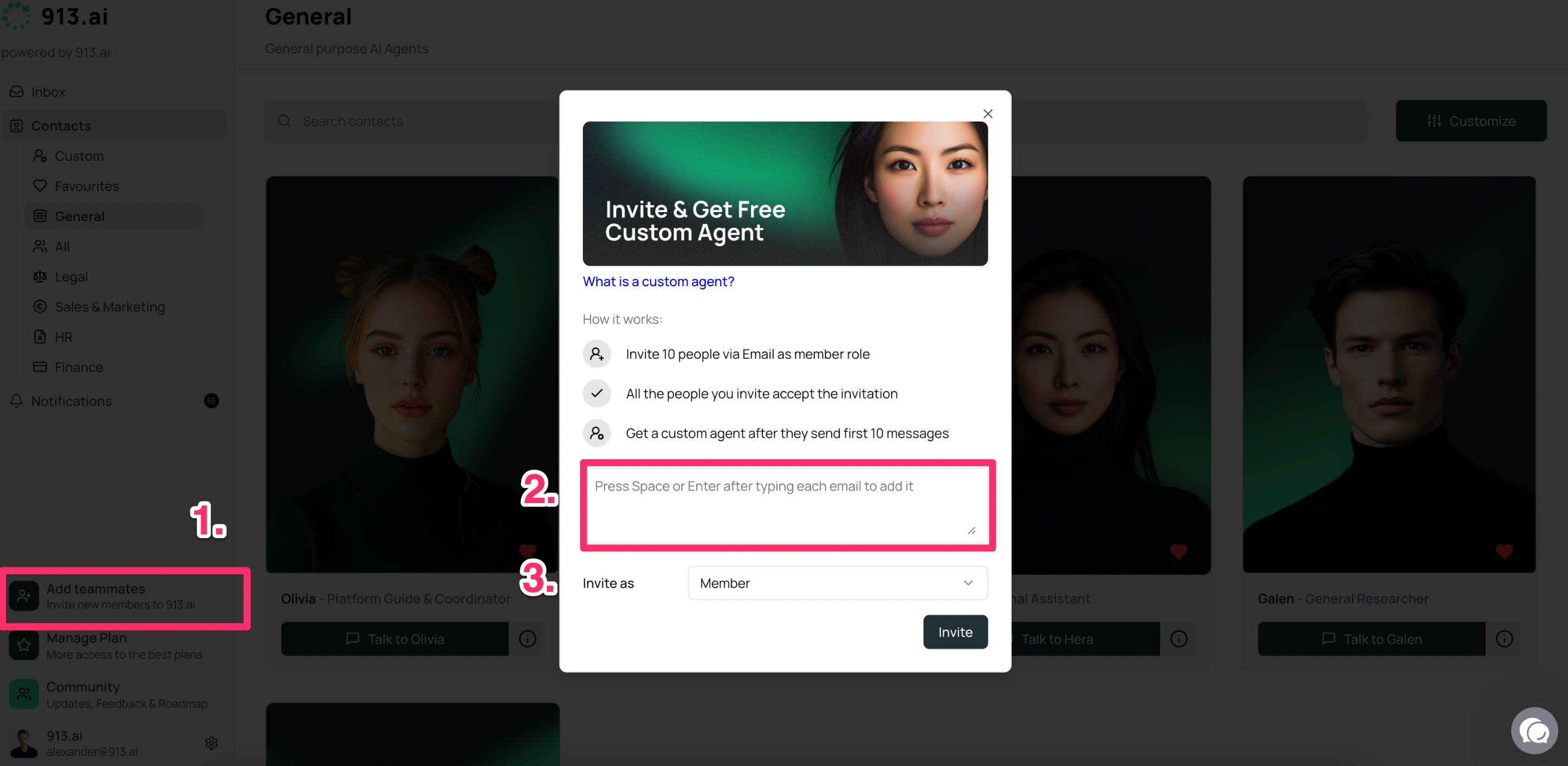
Click the add teammates section - you can access this from anywhere on the platform
Enter your colleague's email address - don’t forget to hit Enter or Space after each email address
Choose the right role - member, admin, or free trial.
Hit “Invite" ✉️
That's it! Your team member will receive an email invitation.
Option 2: Ask Olivia (Your Account Manager) 🤝
Sometimes it's nice to have someone else handle it!
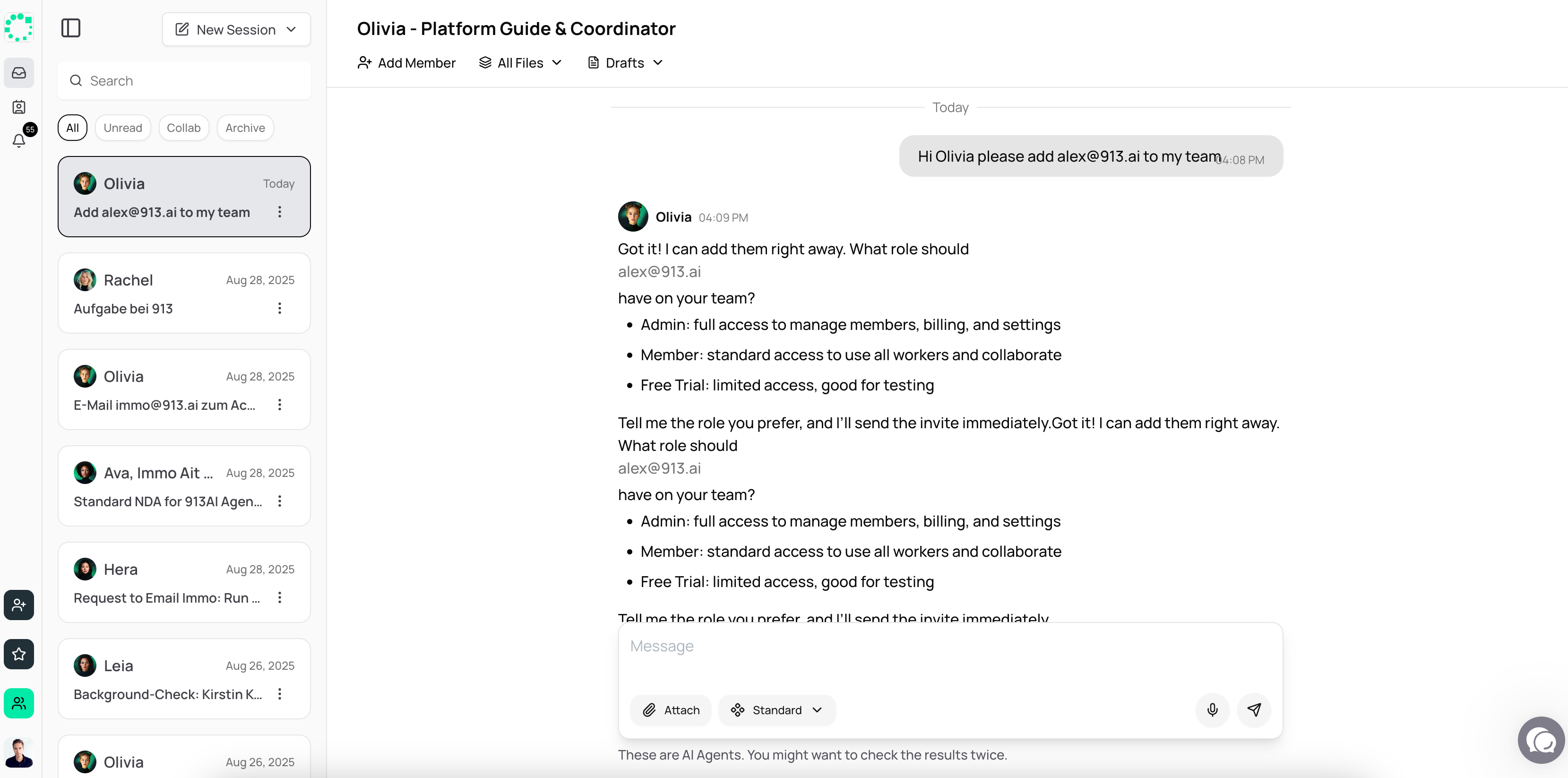
Simply reach out to Olivia, your personal account manager, and ask her to add your team members. She'll take care of everything for you.
Option 3: Through Account Settings ⚙️
For those who like to explore the settings menu
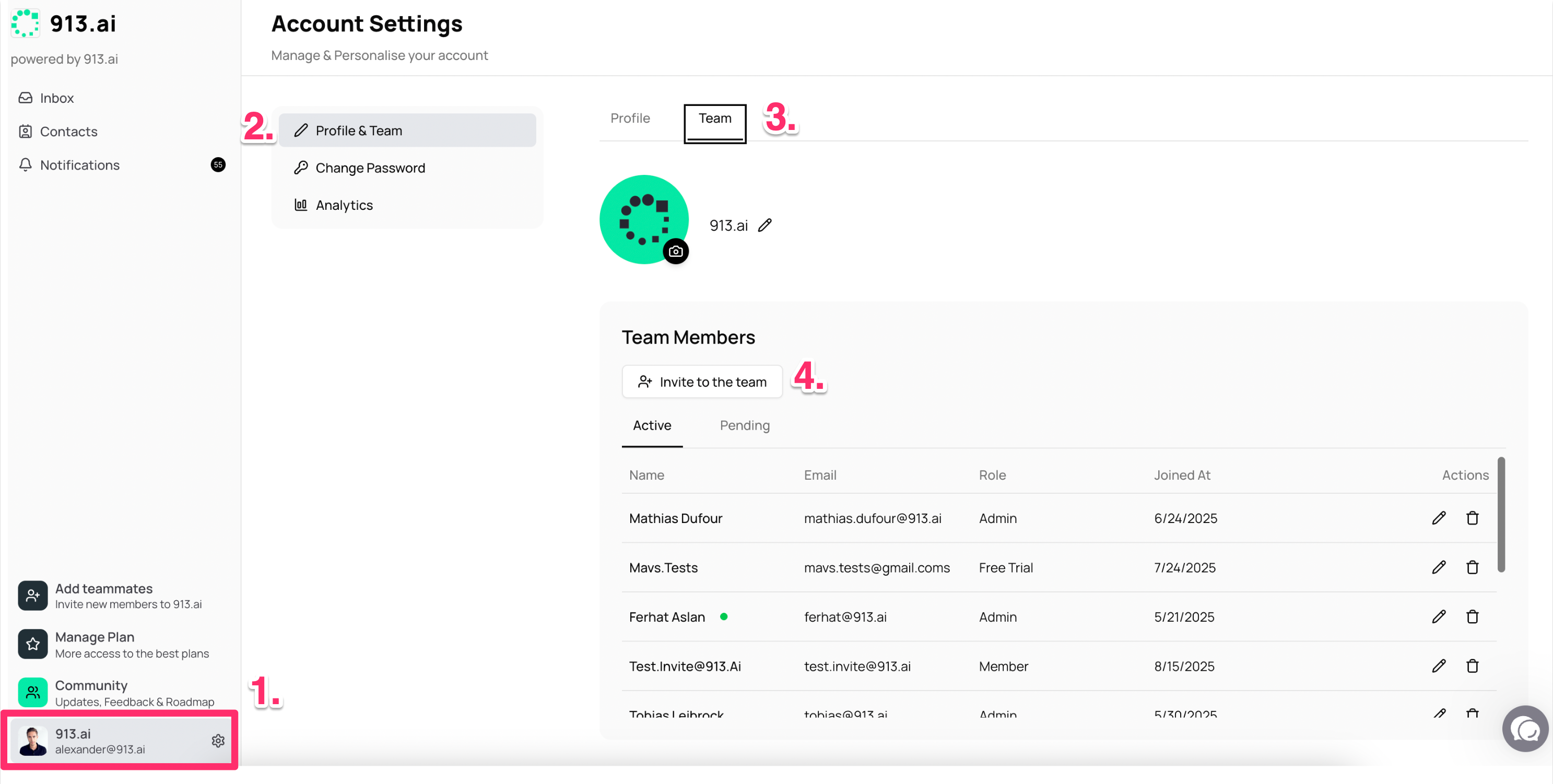
Click on your Profile and select “Account” - found at bottom left section
Select "Profile & Team"
Find "Invite Team Members" section
Add email addresses of people you want to invite
Click "Send Invitations" 📤
🎉 What Happens Next?
Once you've sent invitations:
Your team members will receive an email with setup instructions
They'll create their own login credentials
You can start collaborating right away!
💡 Pro Tip: Team Collaboration Features
With team members added, you can:
Work together in group chats with your AI agents 🤖
Collaborate on projects in real-time
Share insights and results across your team
Want to learn more about these collaboration features?
https://community.913.ai/help/articles/0322541-how-to-collaborate-with-your-colleagues
🆘 Need Help?
Still stuck? Here are your options:
Contact Olivia (your account manager) - she's always happy to help
Check our FAQ section for common questions
Use the live chat feature in your account
Remember: There's no such thing as a silly question when it comes to getting your team set up! 😊