Understanding Task Scheduling in 913.ai
Task Scheduling in 913.ai lets you hand off routine work to your AI agents and get results automatically. You simply tell the agent what to do, when to do it, and how often — and it handles the rest, even emailing you the results when they’re ready. Whether it’s daily reports, weekly summaries, or monthly updates, your agents work in the background so you never miss a deadline or forget a task.
Written By Mahir Mushtaq
Last updated 7 months ago
What Is Task Scheduling?
Think of it like having a smart assistant who never forgets.
You tell your AI agent:
What needs to be done
When to do it
How often to repeat it
Where to send the results
At the exact time you choose, your agent completes the task and sends you the results — usually by email or directly in your dashboard. You don’t have to remember or check back — your agent takes care of it automatically.
What You Can Schedule
You can schedule almost any type of recurring or one-time task, such as:
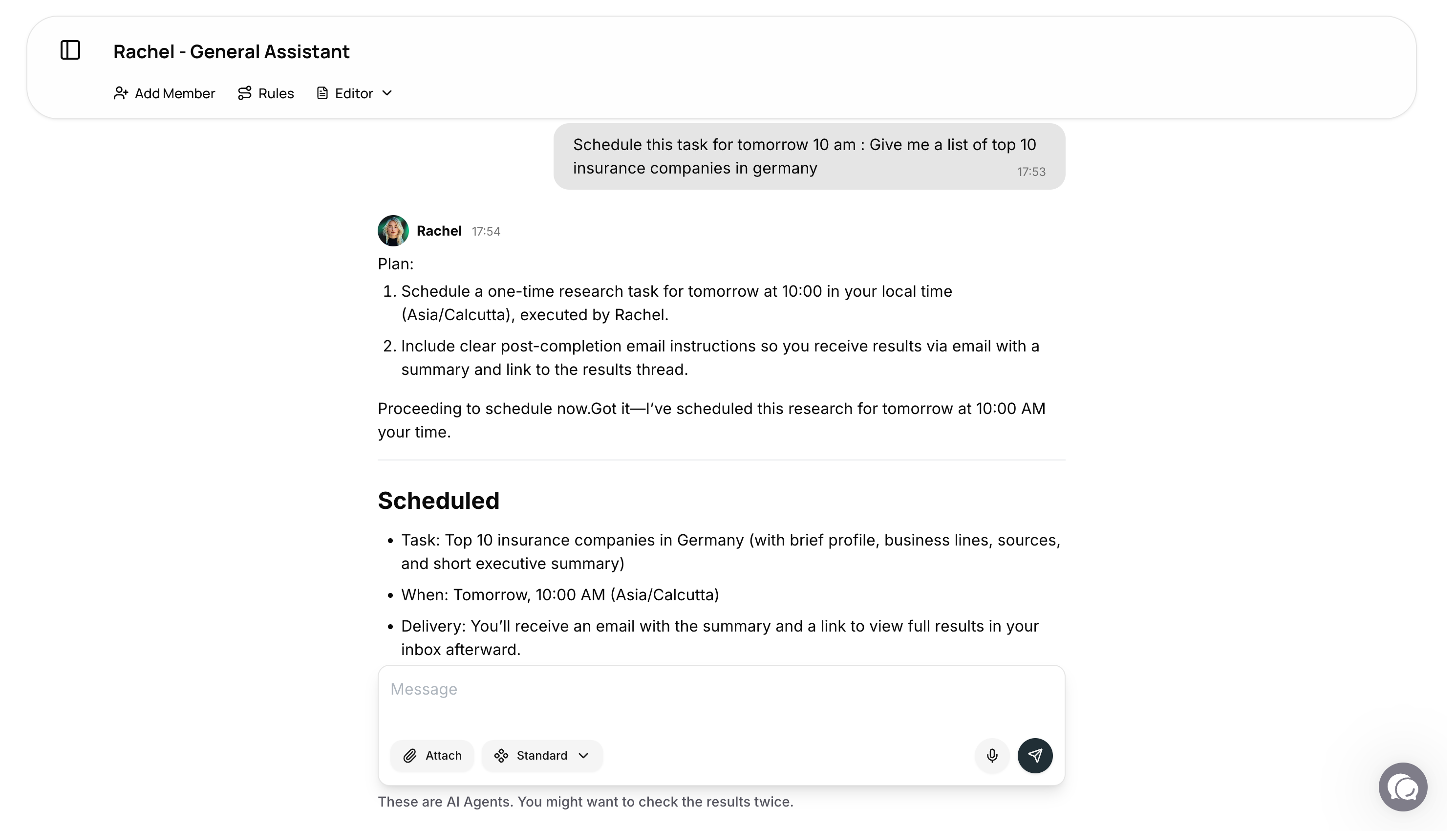
One-time tasks: “Research this tomorrow at 9 AM.”
Hourly: “Check for new competitor updates every hour.”
Daily: “Send me an AI news digest every morning.”
Weekly: “Summarize team activity every Monday.”
Monthly: “Send a usage report on the 1st of each month.”
Once a task is scheduled, it runs quietly in the background. When it’s done, you’ll receive a summary by email — so the results come to you, not the other way around.
How to Set It Up (Simple Steps)
Say what you need: “Research Microsoft AI news.”
Choose when: “Today at 3:00 PM.”
Choose who: Pick the right AI agent — for example, Rachel for research.
Get your results: After the task runs, you’ll automatically get an email summary and a link to see the full report on the platform.
That’s it. Set it once, and your agent takes care of the rest.
Real-Life Examples
Here are some examples you can try:
“Every weekday at 8 AM, send me 5 top AI news stories.”
“This Friday at 4 PM, summarize our team’s activity stats.”
“Every Monday at 10 AM, check competitor pricing and email me updates.”
“On the 1st of each month, send a billing reminder checklist.”
“Every day at 6 PM, email me a summary of unread tickets.”
Helpful Prompts You Can Copy
You can easily copy and adjust these prompts to fit your needs:
One-time research (today)
Schedule a one-time task for today at 3:30 PM (Asia/Calcutta): Research the latest Microsoft AI product announcements and summarize key updates in 10 bullet points. Use Rachel. Email me the summary afterward.
Daily digest (7 days)
Every day at 9:00 AM (Asia/Calcutta) for 7 days, send me ‘AI Agents News Today’ with 5 headlines and links. Use Rachel. Email me the summary each time.
Weekly summary (8 weeks)
Every Monday at 10:00 AM (Asia/Calcutta) for 8 weeks, create a weekly team usage summary: interactions, time saved, and top agents used. Use Olivia. Email me the summary.
Hourly monitoring (24 hours)
Every hour for the next 24 hours, check if ‘OpenAI API pricing updates’ changed on the web. If changes are found, include a diff in the email. Use Rachel.
Monthly report (6 months)
On the 1st of each month at 9:00 AM (Asia/Calcutta) for 6 months, send a ‘Monthly Platform Usage Report’: messages used, top agents, and recommendations. Use Olivia. Email me the summary.
Tips for Writing Great Scheduling Prompts
Be clear about time and timezone: Example: “at 3:00 PM (Asia/Calcutta)”
Mention if it repeats: “daily for 7 days” or “every Monday for 8 weeks”
Pick the right agent:
Rachel – Research, summaries, and documents
Olivia – Platform reports and analytics
Hera – Emails, reminders, and calendar management
Always include: “Email me the summary after” so you never miss results
In Short
Task Scheduling in 913.ai is like having a reliable teammate who’s always on time.
You tell it what to do, when to do it, and how often — and it does the rest.
No reminders, no manual work — just results that show up exactly when you need them.